Front Desk Workflow
This guide brings together the most common tasks handled by reception and front-desk staff during a normal clinic day.
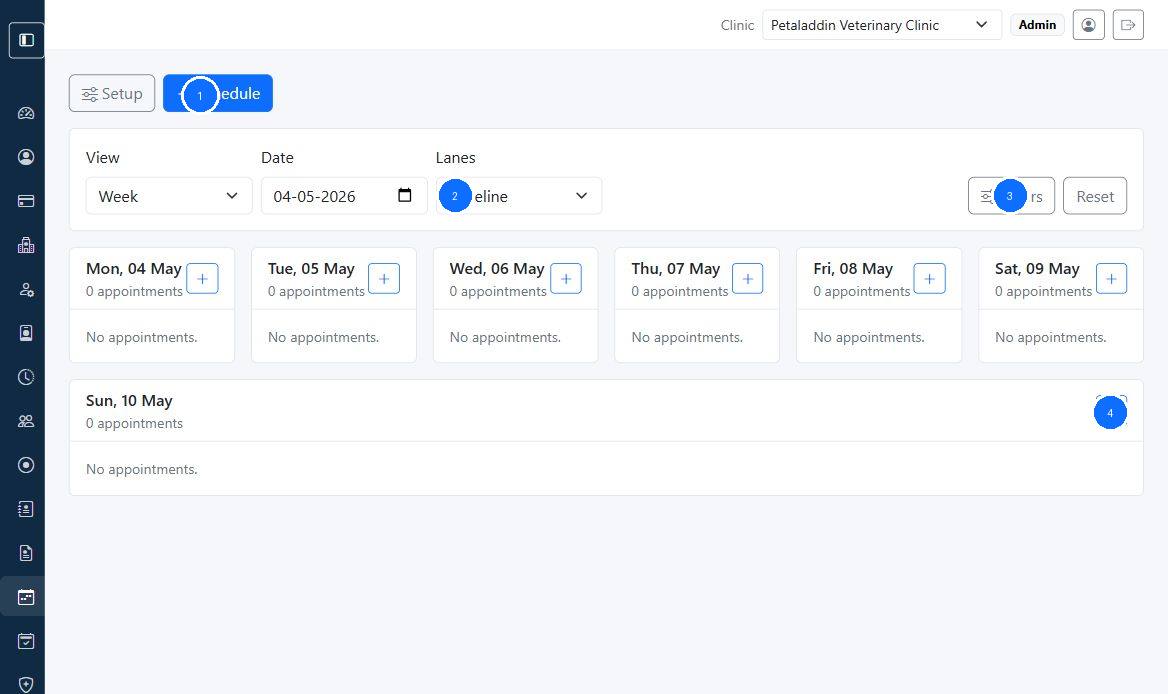
Quick guide:
1filters the schedule with the view and search tools before the clinic gets busy.2starts a new appointment when a walk-in or call needs booking.3shows the visit date and time at a glance.4confirms the pet parent linked to the visit.5opens the row action to continue into the appointment record.
Daily route
- Open the appointments list and review today's schedule.
- Confirm owner and pet details before patients arrive.
- Check patients in and hand them off to the doctor or nurse.
- Support check-out, invoice handoff, and payment follow-up.
- Close the day by reviewing incomplete visits and unresolved balances.
Before opening
- review today's appointment schedule
- check for cancellations, urgent cases, or doctor changes
- confirm the team can access Petaladdin normally
During appointment hours
1. Schedule and update visits
Use Managing Appointments to book, move, or cancel visits.
2. Check patients in
Use Patient Check-In and Check-Out to manage arrivals and front-desk handoff.
3. Support record accuracy
Use Pet Parents, Pets, and Pet Profile when you need to confirm owner details, pet details, or visit history.
4. Coordinate billing handoff
Use Invoices and Payments and POS Checkout Workflow to support check-out and payment tracking.
End-of-day routine
- review uncompleted appointments
- confirm cancelled visits were recorded properly
- flag unpaid invoices or unusual billing issues
- prepare notes for the next shift if anything remains unresolved
When to escalate
Tell an administrator or supervisor when:
- users cannot log in
- patient information appears duplicated or missing
- billing totals do not match the visit details
- the calendar shows repeated scheduling problems