Purchase Details Screen
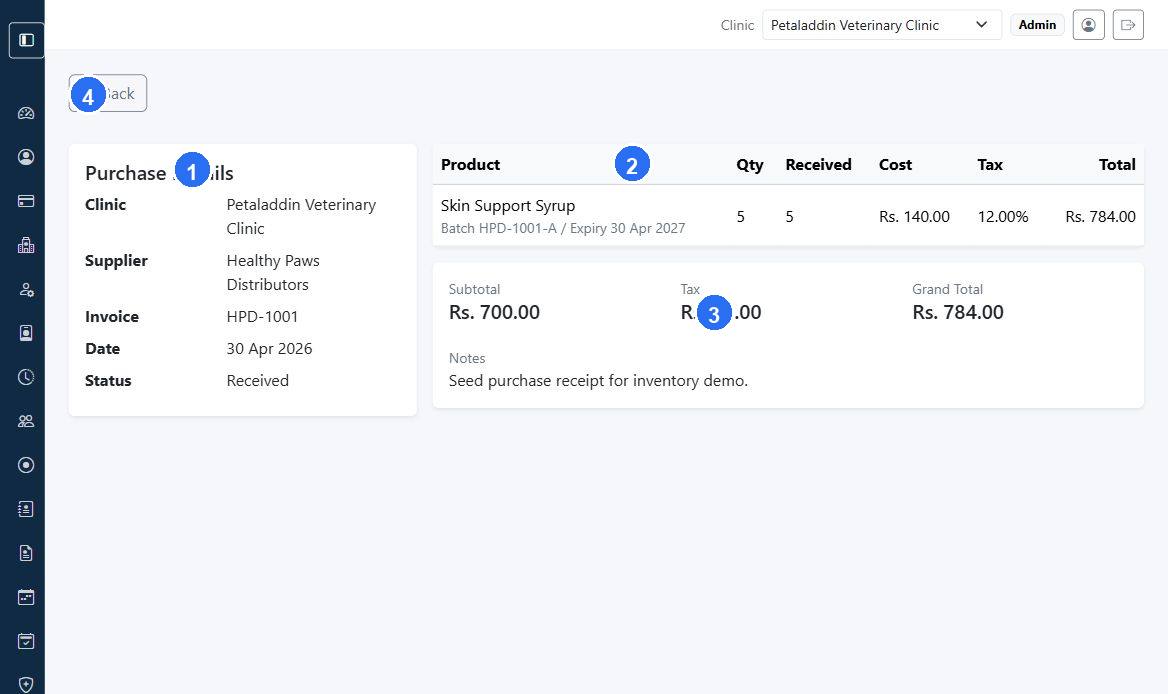
The purchase details page shows the full purchase record, status actions, item totals, and stock receiving workflow.
Quick guide:
1shows the purchase summary, including supplier, invoice number, date, and current status.2lists the purchased products with received quantity, cost, tax, and total values.3summarizes the financial totals for the full purchase record.4returns to the purchase list after review or stock receiving work.
What the page shows
The screen can include:
- purchase number
- clinic
- supplier
- supplier invoice number
- purchase date
- status
- line items
- received quantities
- tax lines
- subtotal
- tax total
- grand total
- notes
- purchase tax summary
Main actions
Depending on status, the page can show:
EditMark OrderedCancelReceive Stock
Receive stock workflow
For ordered or partially received purchases, the page can show outstanding quantity per line and allow staff to enter received quantities directly.
When to use this screen
Open it when:
- stock arrives from a supplier
- finance needs the purchase total
- inventory staff need to confirm received versus ordered quantity