Prescription Templates
The Prescription Templates area lets clinics save reusable medication plans and apply them inside consultations.
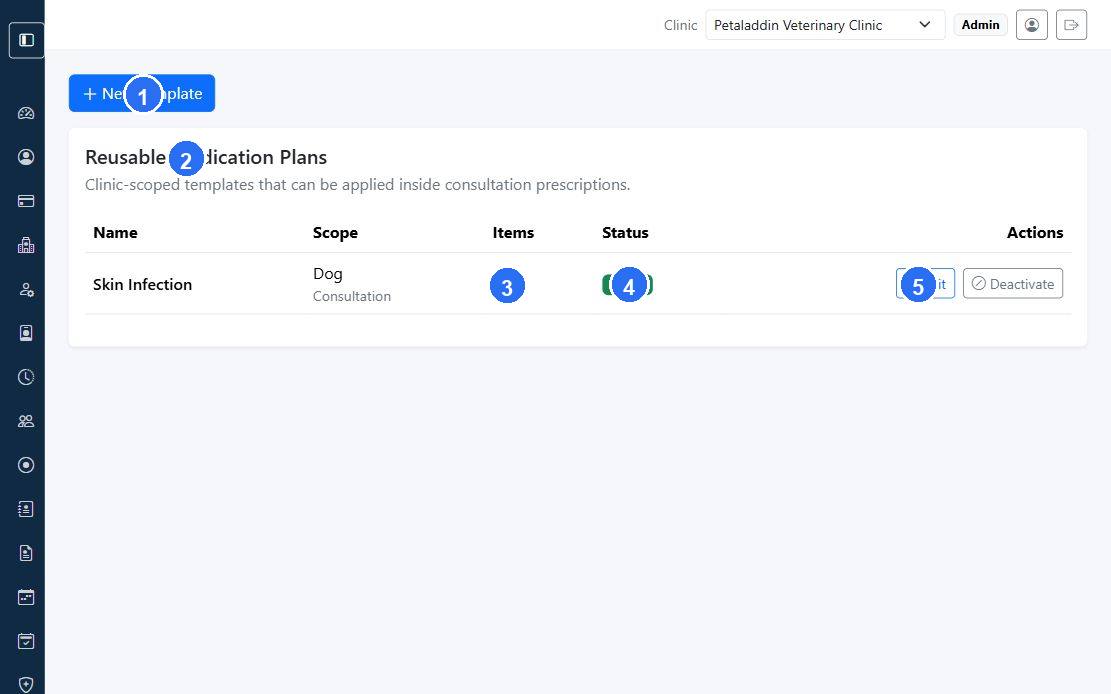
Quick guide:
1opensNew Templatefor a reusable medication plan.2is the main list area where saved templates are reviewed.3shows how many medication items are included in each template.4indicates whether the template is active and available in consultations.5opens row-level actions such as editing or deactivating the template.
What users can do here
- review existing templates
- use
New Template - edit a template
- activate or deactivate a template
Template list screen
The page can show:
New TemplateEditDeactivate
The list screen can show:
- template name
- scope
- item count
- status
- actions
Each template can be scoped by:
- species
- visit type
Template form
The template form can include:
- template name
- species
- visit type
- diagnosis hint
- status
It also includes reusable medicine rows with:
- medicine type
- medicine name
- dose
- route
- duration
- instructions
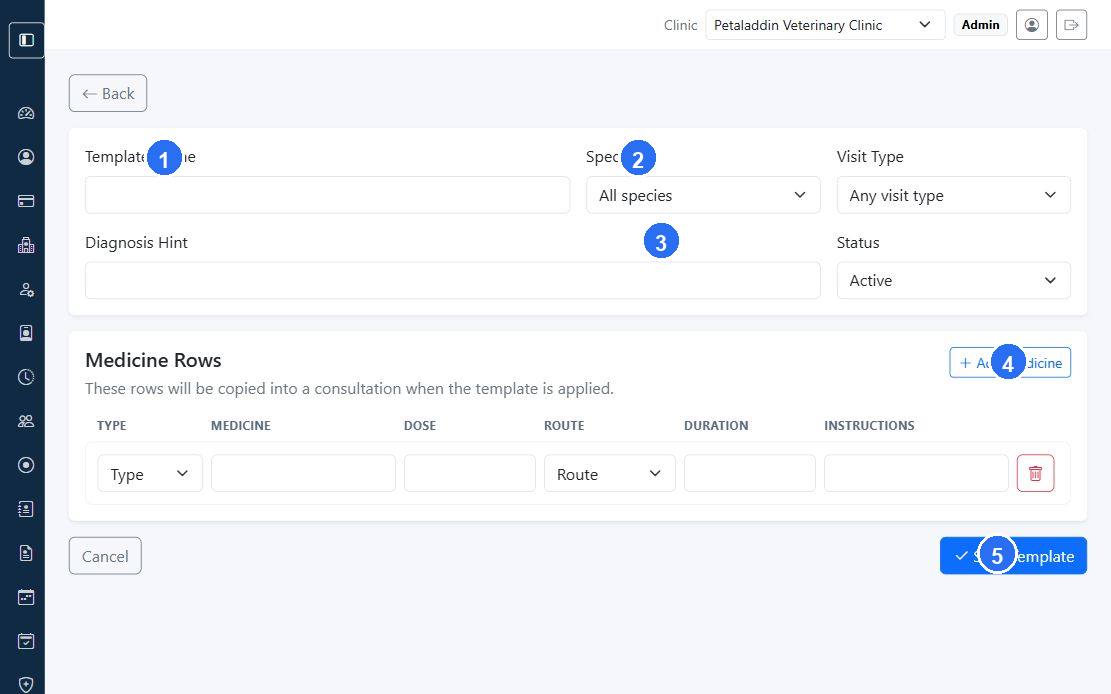
Quick guide:
1captures the template name staff will recognize during consultations.2scopes the template to a species when needed.3adds an optional diagnosis hint to explain when the template should be used.4inserts additional medicine rows into the reusable treatment plan.5usesSave Templateto save the completed template for clinic-wide reuse.
Why templates matter
Templates save time during consultations and help clinics standardize common treatment plans for repeated conditions.