Consultations List Screen
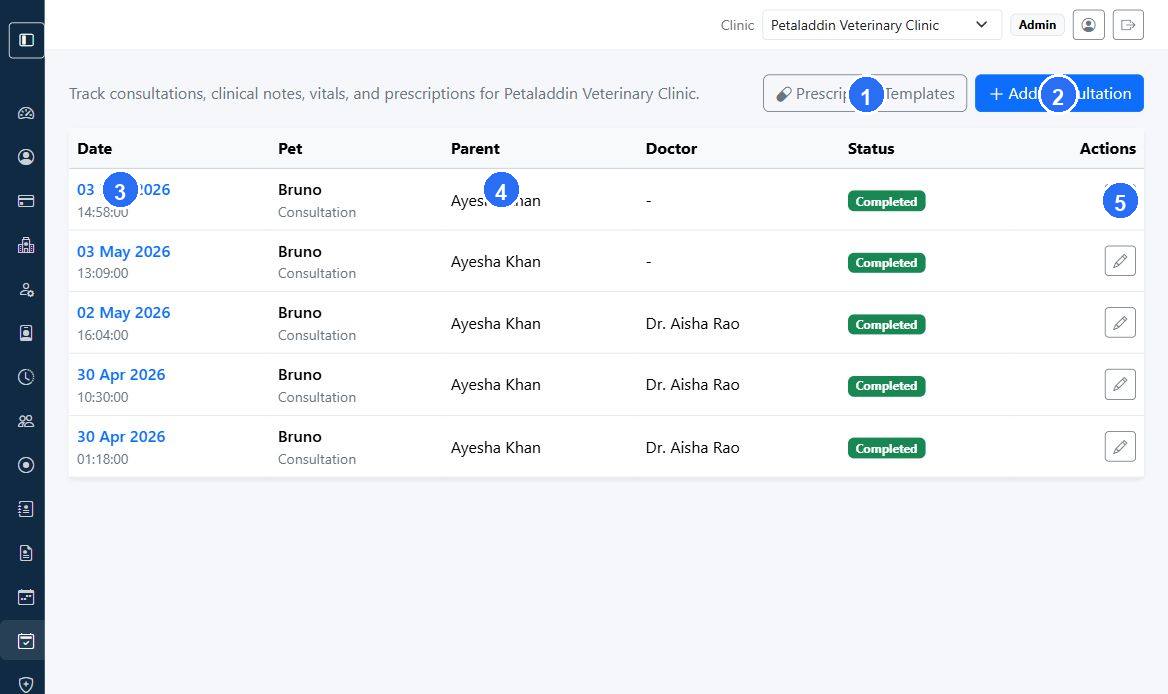
The Consultations list screen is the main clinical register for the active clinic.
Quick guide:
1opens the prescription template library used during consultations.2starts a new consultation record manually.3shows the consultation date and time for each clinical entry.4identifies the pet parent linked to the consultation.5opens row-level actions for the selected consultation.
What users can do here
- review consultation records
- open consultation details
- open the edit screen
- create a new consultation
- open prescription templates
What the list shows
Each row can include:
- consultation date
- time
- pet
- visit type
- pet parent
- doctor
- status
Main actions
The page can show:
Prescription TemplatesAdd Consultation
When to use this screen
Open it when:
- reviewing the day's consultations
- finding an earlier clinical note
- starting a manual consultation not created from an appointment