Consultation Details Screen
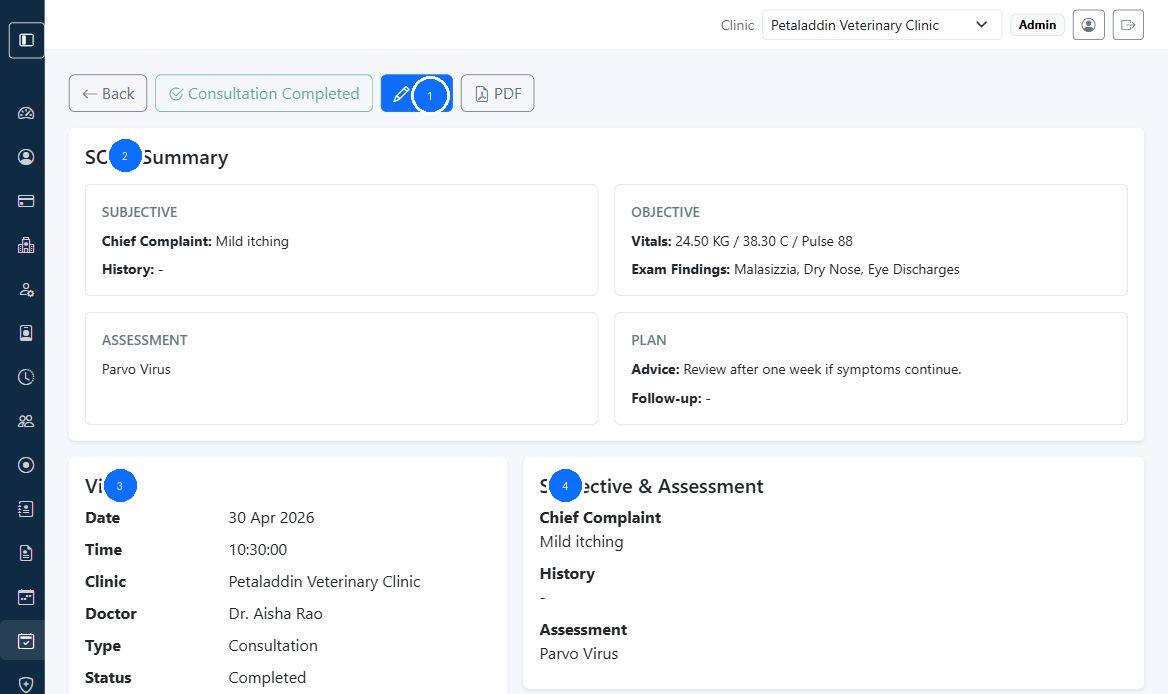
The consultation details page is the main read-only clinical summary for a saved consultation.
Quick guide:
1contains the main consultation actions2summarizes the SOAP blocks3shows visit and patient details4shows the clinical assessment and plan sections
What the page shows
The screen can include:
- SOAP summary
- visit details
- patient details
- complaint
- history
- diagnosis
- vitals
- physical exam findings
- advice
- follow-up date
- investigations
- procedures
- prescription items
Main actions
Depending on status and permissions, the page can show:
Complete ConsultationEditPDF
The PDF action downloads the saved consultation as a clinical document.
Consultation PDFs can also be shared with clients or pet parents when the clinic sends a communication that includes the consultation document.
When to use this screen
Open it when:
- reviewing a finished clinical note
- printing or exporting the consultation PDF
- sending or confirming a shared consultation document link
- checking previous advice or medications
- confirming whether a consultation is complete